Thanks to D'arcy's recommendations, I have looked into an XHTML editor called eXe. Initial impressions are a bit mixed since I have only experimented with it for a short period of time.
I must say the program is perfect for instructors looking for a companion to their classroom course. Pages for activities, image galleries, etc. For Arts Co-op purposes, the all around goodness of having reflection pages makes this perfect for professional development.
eXe has a similar style with Pachyderm. There are templates available for people to use. Customization might be difficult, I could be wrong. A very convenient feature is its "cut and paste" style, so no html knowledge required. Best of all, text documents can be uploaded! Woot! A very large advantage over using Pachyderm. As Arts students can testify, we are all about the writing. If we can't do anything else, we can always write. Love it or hate it, it what sets us apart from many Faculties. A bite tangential there.
Anyway, let us see how I progress with this. It suddenly became busy here at OLT.
Showing posts with label opensource. Show all posts
Showing posts with label opensource. Show all posts
Tuesday, April 24, 2007


Tuesday, April 17, 2007
The 300 lbs. Pachyderm in the Room
I started a project in Pachyderm and little bit of explanation might be in order.
In Pachyderm, you are given templates of various screens that might suitable to the type of presentation you want to do. These screens can be linked together for a larger project. Once a screen is selected, you are brought to it's blueprint where authoring is as simple as colour by numbers.
The program has its highlights and its downsides. Of course the highlights are 1) I don't need to learn or write lines of code, (I am one of the most non-tech person in OLT) 2) "colour by numbers" style of authoring makes it easy to use and understand, 3) Using Flash makes it a little bit fancier than just scrolling up and down.
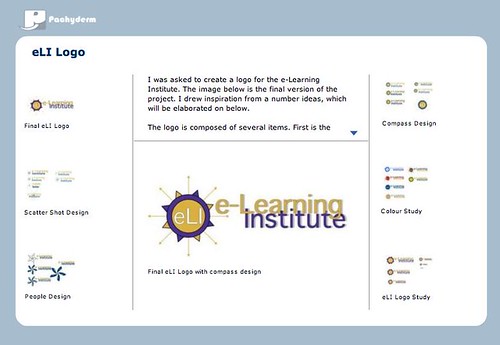
A screen of the presentation I made.
Now for the downsides *enter eerie symphonic music*. As D'arcy mentioned in his comment, Pachyderm strictly limits uploaded files to either JPEG/GIF images, audio, flash files, or videos. I only used images but even the JPEG format is strict. My work is primarily in Adobe Illustrator and/or Photoshop. I had to convert my files but Photoshop JPEGs are not supported for some reason. To get around this challenge, I imported the image into PowerPoint and then saved the slides again as JPEGs. Successful but a tedious process and image resolution, not that great! Maybe there's an easier way to do this.
A screen took me about 4 hours to make. Near the end, the connection was slowing d0wn for some reason. In order to create/upload a portfolio comparable to what I have in print-form would be a time-consuming endeavour. I would like to continue creating the project but time-constraints are ever-present.
Assessment:
Pachyderm can be quite a useful presentation for a student who has images from their work. They can either be event photos, created artwork, produced covers, etc. Some conversion is needed for different file formats. For students who primarily write during their work terms (e.g. proposal writers, policy analysts, etc.), the program is not ideally suited for them.
In Pachyderm, you are given templates of various screens that might suitable to the type of presentation you want to do. These screens can be linked together for a larger project. Once a screen is selected, you are brought to it's blueprint where authoring is as simple as colour by numbers.
The program has its highlights and its downsides. Of course the highlights are 1) I don't need to learn or write lines of code, (I am one of the most non-tech person in OLT) 2) "colour by numbers" style of authoring makes it easy to use and understand, 3) Using Flash makes it a little bit fancier than just scrolling up and down.
A screen of the presentation I made.
Now for the downsides *enter eerie symphonic music*. As D'arcy mentioned in his comment, Pachyderm strictly limits uploaded files to either JPEG/GIF images, audio, flash files, or videos. I only used images but even the JPEG format is strict. My work is primarily in Adobe Illustrator and/or Photoshop. I had to convert my files but Photoshop JPEGs are not supported for some reason. To get around this challenge, I imported the image into PowerPoint and then saved the slides again as JPEGs. Successful but a tedious process and image resolution, not that great! Maybe there's an easier way to do this.
A screen took me about 4 hours to make. Near the end, the connection was slowing d0wn for some reason. In order to create/upload a portfolio comparable to what I have in print-form would be a time-consuming endeavour. I would like to continue creating the project but time-constraints are ever-present.
Assessment:
Pachyderm can be quite a useful presentation for a student who has images from their work. They can either be event photos, created artwork, produced covers, etc. Some conversion is needed for different file formats. For students who primarily write during their work terms (e.g. proposal writers, policy analysts, etc.), the program is not ideally suited for them.
Monday, April 16, 2007
Pachyderm: Not with the thick hides and ivory kind
I have been researching occasionally on different platforms to create e-portfolios. I recently came across an open-source flash-based software called Pachyderm. The program was somewhat familiar to since it was listed in OLT's e-Learning Tools software. However, I was not aware of what it can do or what people can do with it.
Further research allowed me to discover D'arcy Norman's Pachyderm e-portfolio. A bit of background. I first of heard of D'arcy when he came to visit Brian Lamb and Novak Rogic here at OLT. After that I noticed his name everywhere here. According to his blog he is an educational technology developer from the University of Calgary. End of background.
Seeing what he's done, my mind just started jumping on even the most tangential possibilities of using Pachyderm as an e-portfolio platform. I started experimenting last week and I have already seen some limitations to it. Since the software was first developed between the New Media Consortium and the San Francisco Museum of Modern Art, the presentation was focused on pictures, videos, and audios. Documents, I think, can be uploaded onto a server and then linked into a Pachyderm project.
I am starting to create a project in Pachyderm and see how everything goes.
Further research allowed me to discover D'arcy Norman's Pachyderm e-portfolio. A bit of background. I first of heard of D'arcy when he came to visit Brian Lamb and Novak Rogic here at OLT. After that I noticed his name everywhere here. According to his blog he is an educational technology developer from the University of Calgary. End of background.
Seeing what he's done, my mind just started jumping on even the most tangential possibilities of using Pachyderm as an e-portfolio platform. I started experimenting last week and I have already seen some limitations to it. Since the software was first developed between the New Media Consortium and the San Francisco Museum of Modern Art, the presentation was focused on pictures, videos, and audios. Documents, I think, can be uploaded onto a server and then linked into a Pachyderm project.
I am starting to create a project in Pachyderm and see how everything goes.
Subscribe to:
Posts (Atom)
